YouTube Chat Dock
Live chat beside the video. Not on top of it.
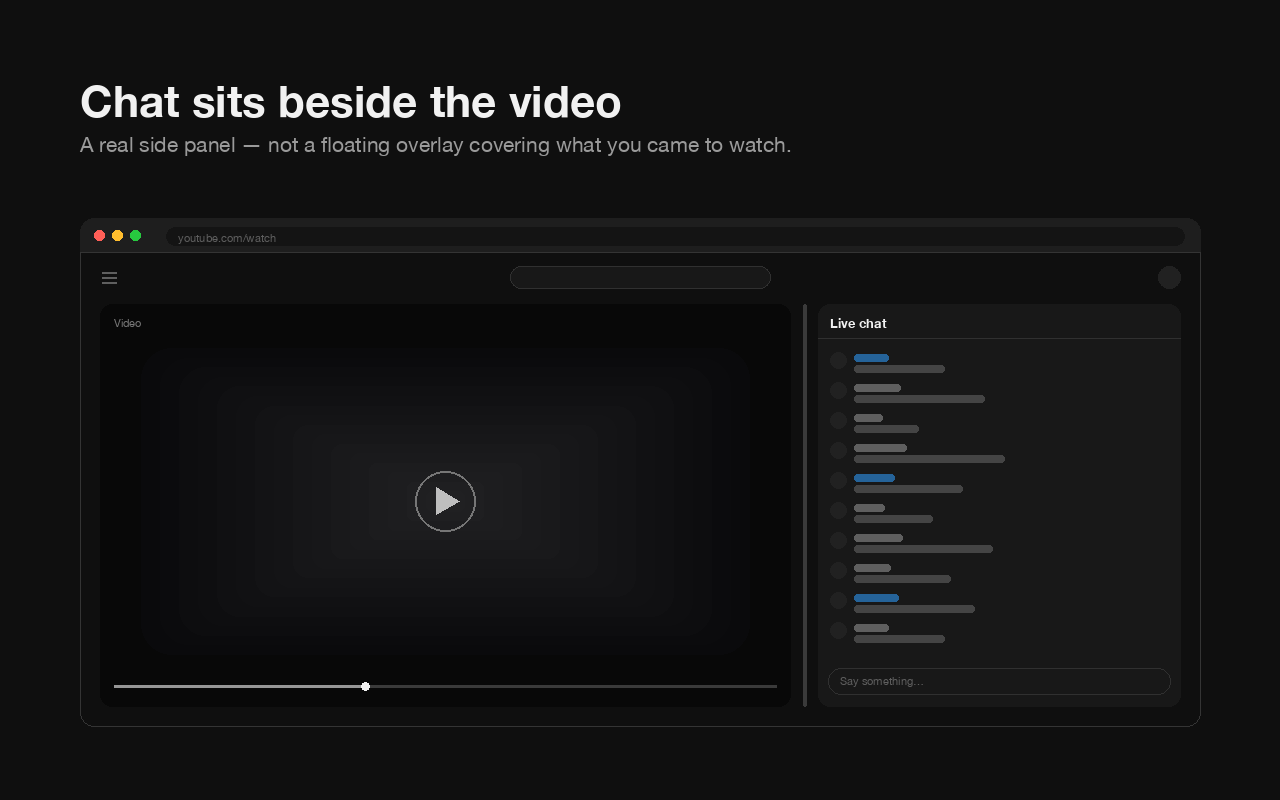
A free, open-source Chrome extension that turns YouTube’s live chat and chat replay into a resizable side panel — in page view, theater mode and true fullscreen. The player is resized to fit beside the chat, so chat never covers the video and the video is never cropped.
How do I put YouTube live chat next to the video?
Install a browser extension that docks it — YouTube gives you no control over how wide chat is or where it sits. There is no setting anywhere to resize the chat panel or to move it, in any of the three view modes.
YouTube Chat Dock re-lays out the chat that is already on the page, so it stays YouTube’s own chat with YouTube’s own features — Super Chat, emotes, moderation tools, member badges. Nothing is re-implemented and nothing is proxied. What changes is where the chat sits and how wide it is.
Can I resize YouTube’s live chat?
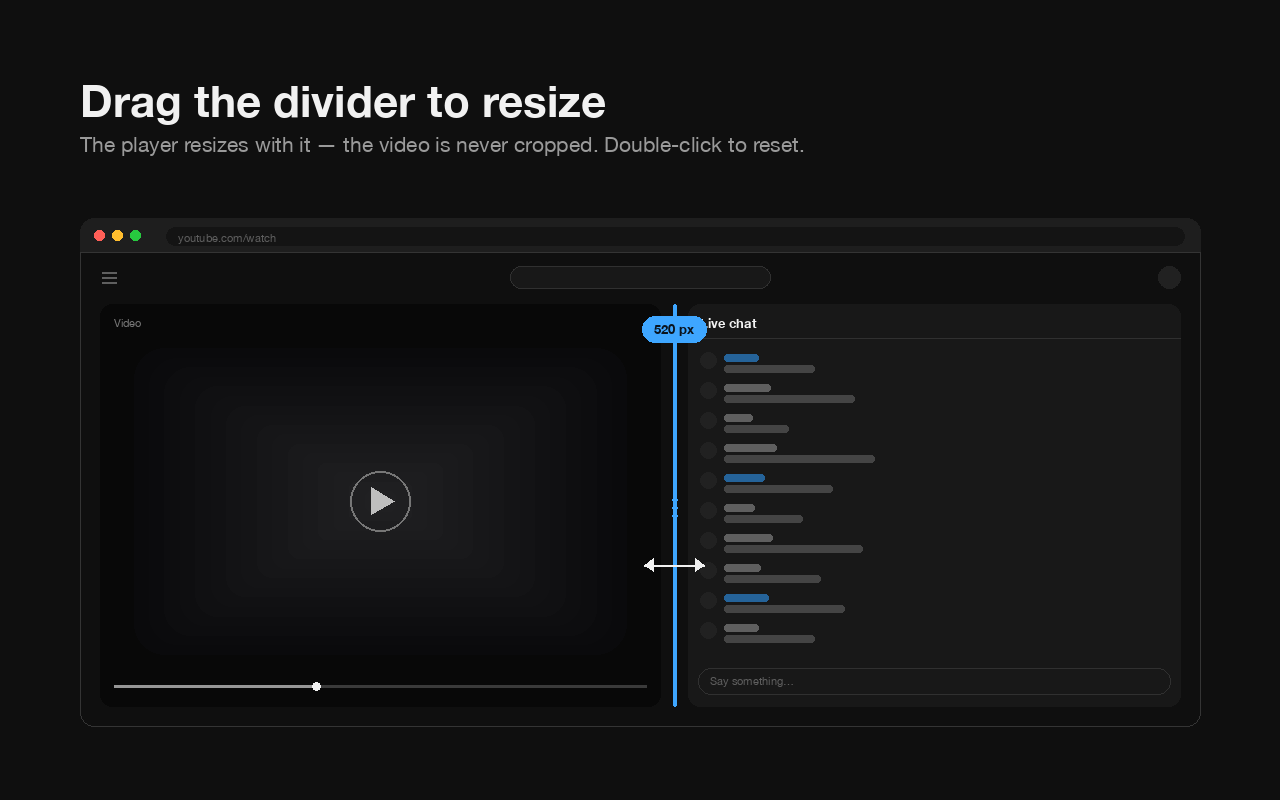
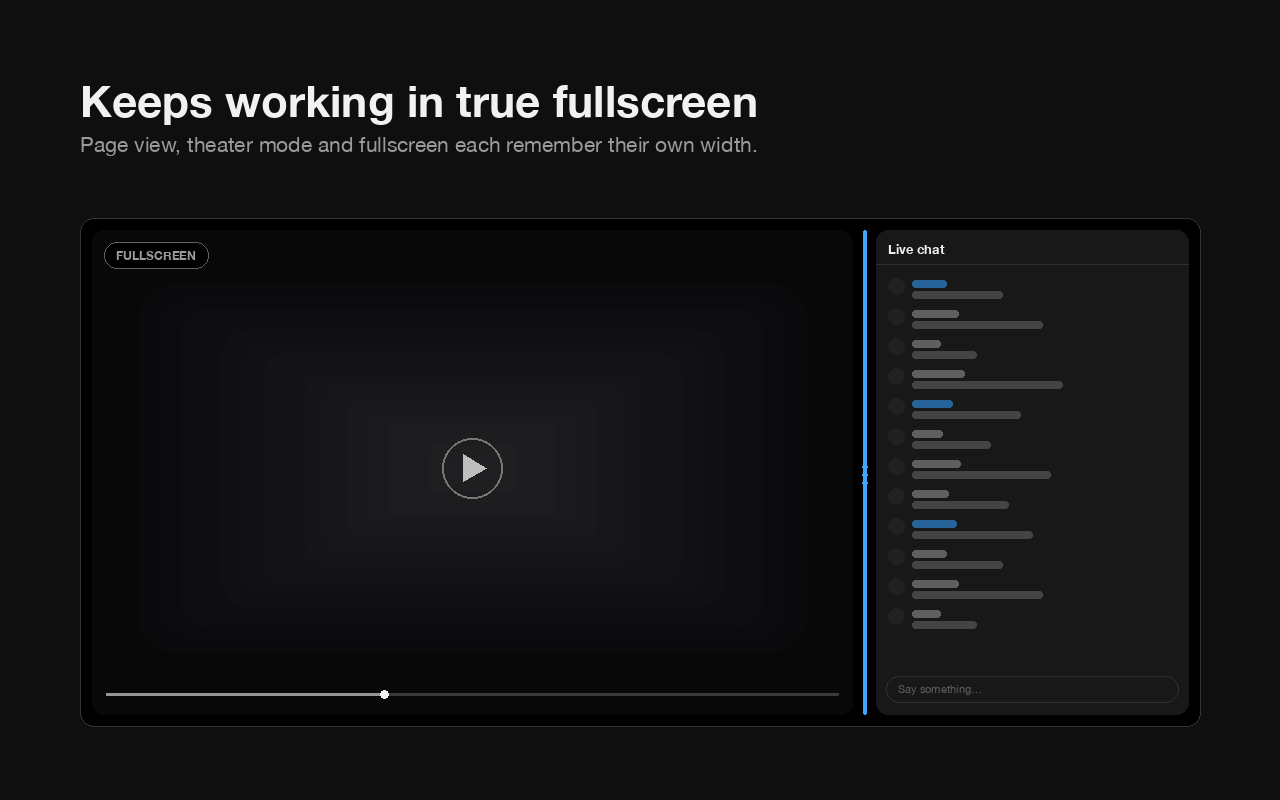
Yes, by dragging the divider between the video and the chat. Page view, theater mode and fullscreen each remember their own width, so going fullscreen does not undo your layout.
- Drag the divider to any width from 120px up.
- Double-click the divider to snap back to the default.
- Focus the divider and use the arrow keys — Shift for bigger steps, Home and End for the limits.
- Hover the divider and click the ⇆ toggle to move chat to the other side. The choice sticks.
- Or use the sliders in the toolbar popup, which preview live as you drag.
Why can’t I resize the chat in YouTube’s theater mode?
Because YouTube pins the chat beside the player at a width it picks for you, and there is no setting anywhere to change it. This extension makes that width yours: drag the divider and the player resizes to match, so the two always tile the window exactly.
YouTube used to behave differently here. It narrowed the player to reserve a side column, then left that column empty and dropped chat below the video — which is where the complaint about chat going underneath the video in theater mode came from. That was measured identical with this extension enabled and disabled, so it was never damage an extension was doing. YouTube has since changed it: measured at 1920×769 on two live streams and a chat replay, the chat is pinned beside the player and stays there while you scroll, so the recommended videos scroll past underneath it. This extension follows the current layout and changes nothing about it except the width.
Does live chat work in fullscreen on YouTube?
Yes, but not on your terms — you cannot resize it or decide where it sits. With this extension chat is docked beside the video at its own remembered width, so it covers nothing and the video is never cropped.
Does this work with chat replay on old streams?
Yes. Chat replay on a VOD is docked and resized exactly like live chat on an active stream, with no separate setting.
Why does YouTube’s chat replay go blank in fullscreen?
Because the replay stalls: messages stop arriving and never resume, and the only cures used to be reloading the page or re-picking the chat mode by hand. It is YouTube’s own bug — it happens with no extension installed at all. YouTube Chat Dock spots a stalled replay after a fullscreen switch and restarts it for you, keeping whichever chat mode you had selected.
Measured on a stalled replay: the message list holds a single item — YouTube’s own “Live chat replay is on” notice — while the panel is the right size, fully visible, and the video plays normally, so nothing looks broken from the outside. Reloading the chat frame does not fix it, because that frame is holding a dead token. Picking a mode in the chat header does, because YouTube fetches a fresh one and rebuilds the list. The extension re-picks the mode that is already selected, so Top chat replay stays Top chat replay, and it can be switched off in the popup.
Can I move YouTube chat to the left side?
Yes. Hover the divider and click the ⇆ toggle, or flip the switch in the toolbar popup. The choice persists across videos and sessions.
In right-to-left interface languages such as Arabic, the toggle mirrors with the rest of the layout rather than inverting, so “the other side” always means what it looks like it means.
What settings does it have?
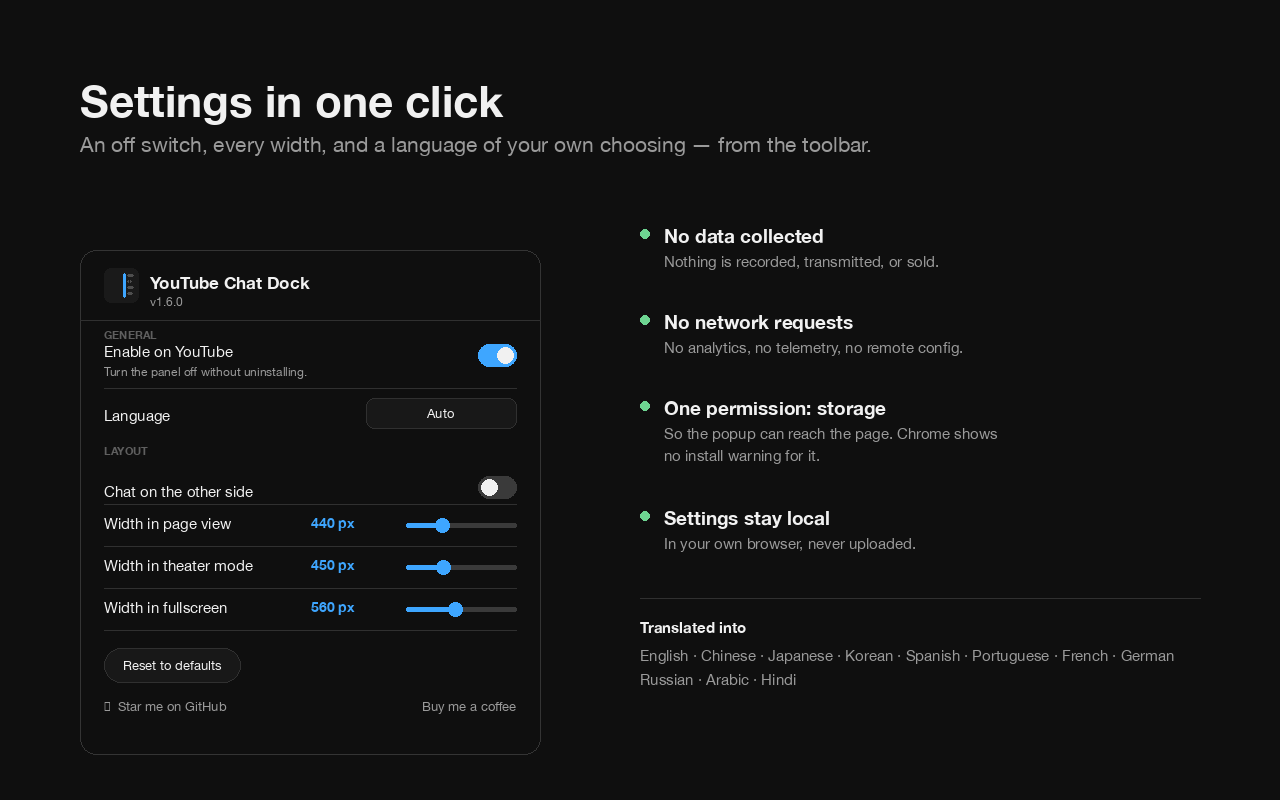
An on/off switch, a chat-replay fix, a language picker, a side toggle, three width sliders and a reset — all in the toolbar popup. You never have to open it, though: the divider does everything the sliders do, and it can be resized with the arrow keys too.
| Setting | What it does |
|---|---|
| Enable on YouTube | Turn the panel off without uninstalling |
| Fix blank chat replay | Restarts YouTube’s chat replay when it stalls in fullscreen |
| Language | Any of the 12, independently of your browser’s language |
| Chat on the other side | Same as the divider’s ⇆ toggle |
| Three width sliders | Page view, theater and fullscreen, previewing live as you drag |
| Reset to defaults | Puts everything back |
| Pause chat on hover | Freezes the message list while the mouse is over it |
Does YouTube Chat Dock collect any data?
No. It collects nothing, transmits nothing, and makes no network requests of any kind — no analytics, no telemetry, no remote configuration. Your settings are stored in your own browser and never leave the device.
- No data collected, transmitted, or sold — not anonymised, not aggregated
- No network requests, no analytics, no telemetry
- No background service worker; nothing runs when you are not on YouTube
- No account, no sign-in, no cloud sync
- No host permissions — it acts on
youtube.comand nowhere else - One permission,
storage, for which Chrome shows no install prompt
The single storage permission exists for exactly one reason: the settings popup is a separate extension page and cannot otherwise reach the tab it is configuring. Full policy: store/PRIVACY.md. The whole extension is one stylesheet and one small script, MIT licensed, and readable end to end in about ten minutes.
Does it work in Edge, Brave, Opera or Arc?
Yes. It is a Manifest V3 extension with no dependencies, and it runs on Chrome 105 and up and on any Chromium-based browser — Edge, Brave, Opera, Vivaldi, Arc.
It is published on the Chrome Web Store, which Edge and the other Chromium browsers can install from directly. It is not a Firefox add-on.
What languages does it support?
Twelve: English, 繁體中文, 简体中文, 日本語, 한국어, Español, Português, Français, Deutsch, Русский, العربية and हिन्दी.
The picker is independent of the browser’s language, so Chrome can be in one language and the extension in another. Right-to-left layouts are handled properly rather than mirrored by accident.
Are there any limitations?
Two worth knowing. Below a 1000px browser window it deliberately does nothing, and clearing site data for youtube.com resets your saved widths.
- Windows narrower than 1000px. YouTube switches to a single-column layout there and puts chat under the video. The extension stays out of the way rather than fighting YouTube’s own responsive layout.
- Clearing site data resets widths. They are kept in
localStorageso they can be applied before the page paints, which is what stops the layout flickering on every load.
How do I install it?
Install it from the Chrome Web Store in one click, then reload any open YouTube tab. There is nothing to configure to get the side panel.
From the Web Store
Add to Chrome, then reload your YouTube tab. Chrome asks you to approve nothing.
From source
Clone the repo, open chrome://extensions/, turn on Developer mode, click Load unpacked and pick the folder. No build step, no dependencies.
Can I stop the chat scrolling while I read a message?
Yes. Hover the mouse over the message list and it freezes in place, so a fast chat holds still while you read or click a link. New messages keep arriving underneath; move the mouse away and it jumps back to live. It is mouse-only — on a touchscreen there is no hover, so YouTube’s own scroll-up pause still applies. There is a switch for it in the toolbar popup.